There was a time when creating a compelling image was enough. That time has passed quietly. Today, the same image often needs to move, react, or evolve to remain competitive in attention-driven environments. This is where Image to Video AI becomes relevant—not as a replacement for creativity, but as a bridge between static design and dynamic expression.
The real issue is not that images lack quality. It is that they lack time. Without time, there is no progression, no anticipation, no narrative. Video introduces these elements, but traditional production methods are often too slow for modern workflows.
The interesting development is that motion can now be generated directly from existing visuals.
Why Motion Is Becoming A Default Expectation
Digital platforms increasingly favor content that:
- Holds attention longer
- Encourages repeated viewing
- Delivers emotional pacing
The Role Of Movement In Perception
Movement introduces:
- Direction
- Rhythm
- Emotional cues
Even subtle motion can transform how an image is interpreted.
From Static Assets To Dynamic Outputs
This changes the role of images:
- From final product
- To starting point
The image becomes a base layer rather than a finished piece.
How Image-Based Video Generation Functions Internally
The system operates by combining three key elements.
Visual Input Defines Constraints
The uploaded image determines:
- Layout
- Subject identity
- Lighting conditions
These constraints guide the generation process.
Text Input Defines Intent
The prompt specifies:
- What should move
- How it should move
- What atmosphere should be conveyed
This is less about commands and more about guidance.
Model Generates Temporal Continuity
The model fills in:
- Intermediate frames
- Motion transitions
- Depth perception
In practice, this results in motion that feels inferred rather than explicitly controlled.
Understanding The Practical Workflow
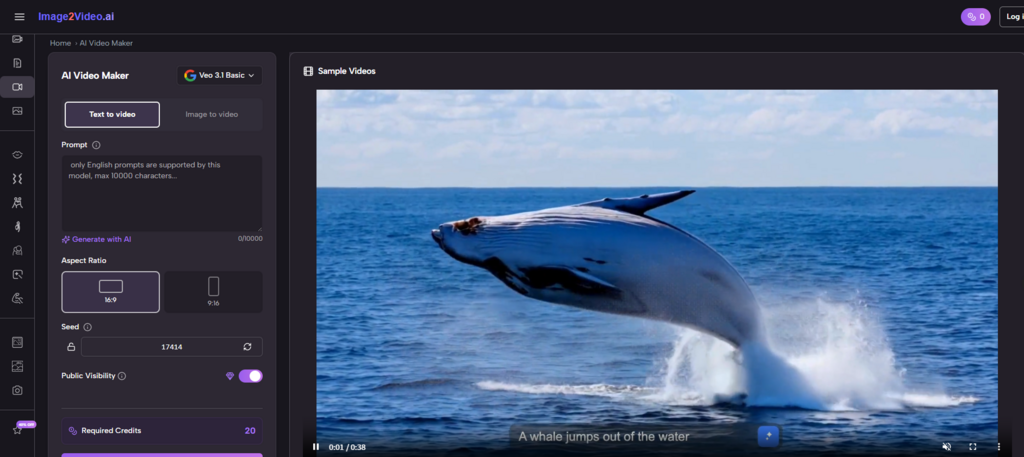
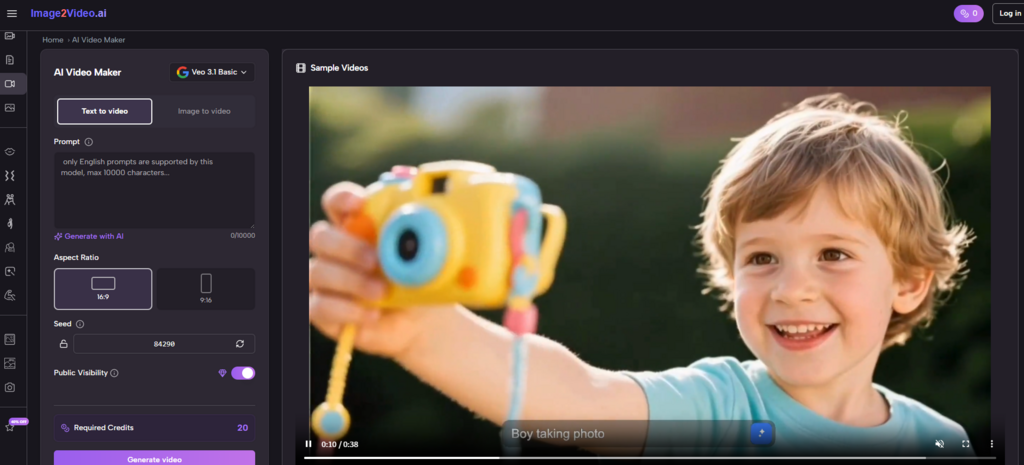
The platform simplifies the process into a few steps.
Step 1 Upload A Base Image
Provide a JPEG or PNG image as the starting point.
Step 2 Describe Desired Motion
Use text prompts to define:
- Subject behavior
- Camera movement
- Scene dynamics
Step 3 Generate And Review Video Output
The system processes the input and produces a video, typically within a short timeframe.
This removes the need for editing timelines or animation tools.
Why Camera Simulation Is Central To Output Quality
One notable aspect is the emphasis on camera movement.
Types Of Camera Behavior Observed
- Zoom for focus
- Pan for exploration
- Tilt for perspective
- Rotation for depth
These elements create the illusion of a three-dimensional space.
Why Camera Movement Feels More Natural Than Object Animation
In many cases:
- Camera motion appears smoother
- Subject motion can be less predictable
- Combined movement creates realism
This suggests the system prioritizes cinematic cues over mechanical animation.
How Scenario Templates Influence Creation Speed
The platform offers predefined motion scenarios such as:
- Interaction sequences
- Dance-like movements
- Stylized animations
These templates:
- Reduce decision complexity
- Provide quick starting points
- Encourage experimentation
Comparative Perspective On Creation Methods
Understanding its role requires comparison.
| Dimension | Image-to-Video Approach | Traditional Methods |
| Entry barrier | Low | High |
| Control level | Moderate | High |
| Speed | Fast | Slow |
| Iteration style | Regeneration | Manual editing |
| Learning curve | Minimal | Significant |
This highlights a clear trade-off between control and efficiency.
Where This Workflow Delivers The Most Value
Based on observation, the strongest applications include:
Content Adaptation
- Turning existing images into video content
- Extending the lifespan of visual assets
Creative Exploration
- Testing visual ideas quickly
- Exploring multiple directions without redesign
Social Media Production
- Creating motion content for short-form platforms
- Increasing engagement without additional resources
Why Prompt Design Becomes A Critical Skill
Despite automation, outcomes depend heavily on input quality.
Language Shapes Motion
The wording of prompts affects:
- Speed of movement
- Emotional tone
- Visual focus
Iteration Is Essential
In most cases:
- Initial results are exploratory
- Refinement improves outcomes
- Multiple attempts are normal
Image Quality Still Matters
Higher quality inputs tend to:
- Produce more consistent motion
- Maintain subject clarity
Where Structured Output Tools Fit Into The Workflow
As users move from experimentation to consistency, tools like Photo to Video become useful for generating repeatable outputs that align with specific styles or use cases.
This stage emphasizes reliability over exploration.
Limitations That Define Current Capabilities
It is important to recognize constraints.
Limited Precision Control
Users cannot fully control:
- Exact motion paths
- Frame timing
- Detailed interactions
Output Variability
Results may differ between runs, even with identical inputs.
Complex Scenes Remain Challenging
Scenes with:
- Multiple subjects
- Rapid motion
- Detailed interactions
can produce less stable results.
Why These Systems Still Represent A Meaningful Shift
The significance lies not in perfection, but in accessibility.
These tools enable:
- Faster idea generation
- Lower barriers to motion creation
- Broader creative participation
They do not replace traditional workflows. They complement them.
How Visual Creation Continues To Evolve
The most important change is conceptual.
Creators are moving from:
- Designing images
to:
- Designing experiences over time
This shift expands what can be expressed, even with minimal resources.
And as tools continue to improve, the line between static and dynamic content will likely become less defined, not more.