Maintaining a robot vacuum may seem effortless, yet consistent care determines how well it performs day after day. Even the smartest navigation systems and strongest motors need routine attention to stay efficient. Dust buildup, tangled debris, and neglected filters can slowly reduce suction power and cause missed spots—issues many owners only notice once cleaning quality drops. When you understand how to maintain your robot vacuum properly, you protect your investment, improve daily results, and help the vacuum navigate your home with ease. These habits matter even more during major sales when shoppers compare performance expectations and explore black friday robot vacuum deals. For those using advanced models like the eufy Robot Vacuum Omni S1 Pro, proper maintenance keeps its sophisticated systems working at their best without extra effort.
What Daily and Weekly Care Keeps a Robot Vacuum Running Smoothly
Empty the Dustbin and Check Filters Regularly
The dustbin collects everything the robot picks up—hair, crumbs, dirt, and fine particles. When it fills up, suction weakens, airflow drops, and cleaning paths become less effective. Emptying the bin after each run keeps suction stable and prevents debris from getting compacted inside the compartment. Filters also need regular attention. A clogged filter blocks airflow and forces the motor to work harder, which eventually affects performance. By tapping out dust or gently brushing the filter, you help your robot breathe. For users with models like the S1 Pro, this small habit allows its powerful suction system to operate at peak strength, ensuring high cleaning efficiency every time it runs.
Inspect Brushes and Remove Tangled Hair
Hair is one of the biggest challenges for any robot vacuum. It wraps tightly around the main brush and side brushes, slowing rotation and reducing cleaning coverage. Regularly removing hair and fiber buildup keeps brushes moving freely. When brushes rotate smoothly, the robot reaches deeper into carpets, corners, and floor seams. The S1 Pro’s design helps maintain strong cleaning performance, but even advanced brush systems benefit from hands-on care. A quick inspection every few days keeps debris under control and prevents strain on the cleaning mechanism. This step also helps you identify early signs of wear, giving you plenty of time to replace parts before performance drops.
Clean Sensors to Support Accurate Navigation
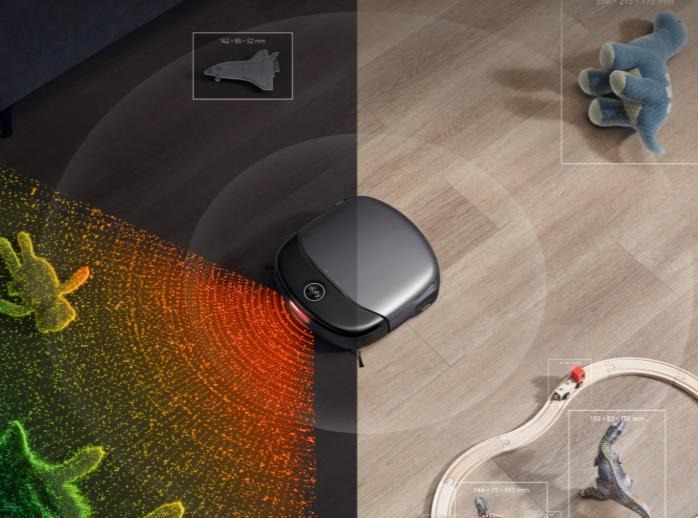
Navigation systems rely on sensors that detect distance, obstacles, room edges, and overall environment changes. Dust or smudges on these sensors can cause inaccurate readings. When sensors lose clarity, the robot may clean inefficiently, avoid open areas, or run into obstacles it should detect. Wiping sensors gently with a soft cloth preserves the robot’s ability to map and navigate correctly. For users of the S1 Pro, keeping its 3D MatrixEye™ lenses clean ensures real-time mapping remains precise. Maintaining clean sensors supports smoother movement, complete coverage, and fewer missed spots. This small routine directly enhances consistency and reliability during every cleaning session.
What Long-Term Habits Extend a Robot Vacuum’s Lifespan
Replace Brushes, Filters, and Mop Pads on Schedule
All moving parts experience normal wear over time. Brushes begin to fray, filters lose efficiency, and mop pads accumulate residue. Replacing these components at recommended intervals keeps performance strong. Fresh brushes lift debris more effectively, and clean filters maintain strong airflow. Mop pads—especially on dual vacuum-and-mop robots—ensure floors stay streak-free and hygienic. The S1 Pro’s HydroJet™ system benefits from a consistently clean mop surface, so staying on schedule with replacements helps preserve its advanced mopping performance. Routine replacement also prevents strain on the robot’s motor and reduces long-term maintenance costs.
Keep the Charging Dock Area Clear and Stable
A robot vacuum depends on reliable charging to maintain daily operation. If the dock area is blocked or unstable, the robot may miss the charging contacts or fail to return home consistently. Keeping the space around the dock clear ensures smooth docking and prevents incomplete charging cycles. Stable charging also supports battery longevity. Minimizing interference—like loose furniture or thick rugs—helps your robot align correctly every time. This habit becomes especially important for users who rely on scheduled cleaning cycles, as the robot needs predictable charging behavior to stay on track.
Monitor Water Tanks and Mop Components for Hybrid Models
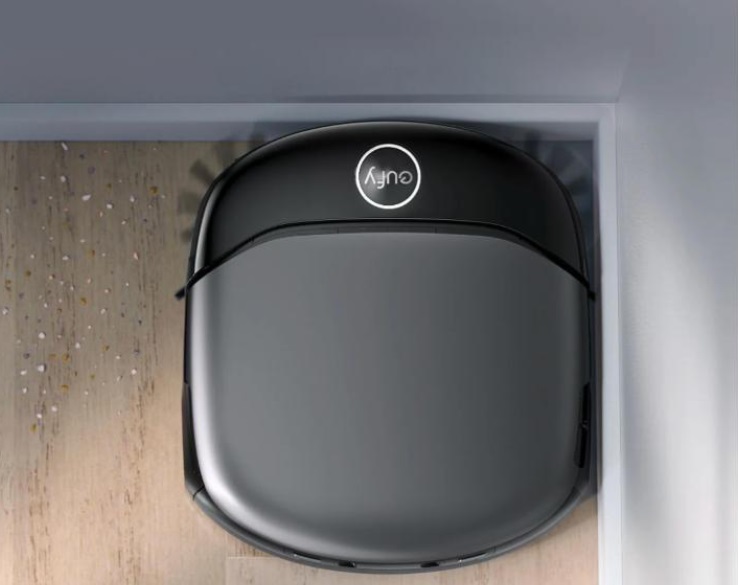
For vacuum-and-mop hybrids, water tanks and mop systems require special attention. Stagnant water can lead to odor issues, and residue buildup can reduce mopping quality. Emptying the tank when not in use and ensuring clean water before every run helps maintain high hygiene standards. Advanced models like the S1 Pro include an Eco-Clean Ozone™ feature that supports effective disinfection, but maintaining the tank and mop pad remains essential. This care ensures the mopping system functions properly and that your floors remain evenly cleaned without streaks or leftover moisture.
Conclusion
Maintaining a robot vacuum properly is a combination of simple routines and smart long-term habits. Emptying the dustbin, cleaning filters, and removing hair help preserve suction power. Cleaning sensors and monitoring navigation components ensure the vacuum moves accurately throughout your home. Long-term care—including replacing brushes and filters, keeping the dock accessible, and caring for water tanks—extends the vacuum’s lifespan and protects your investment. Models such as the eufy Robot Vacuum Omni S1 Pro deliver advanced navigation, precision cleaning, and intuitive design features that simplify upkeep, but regular maintenance still ensures the best performance. By following these practices, you keep your robot vacuum running efficiently, delivering consistent cleanliness and reliability every day.